Can I set logos and backgrounds at the account level?
Yes. To set logos at the account level rather than on a global, portfolio-wide basis, use the replaceable tag **account-logo** in the template editor. This is useful when accounts in your portfolio follow the same procedure but require different branding.
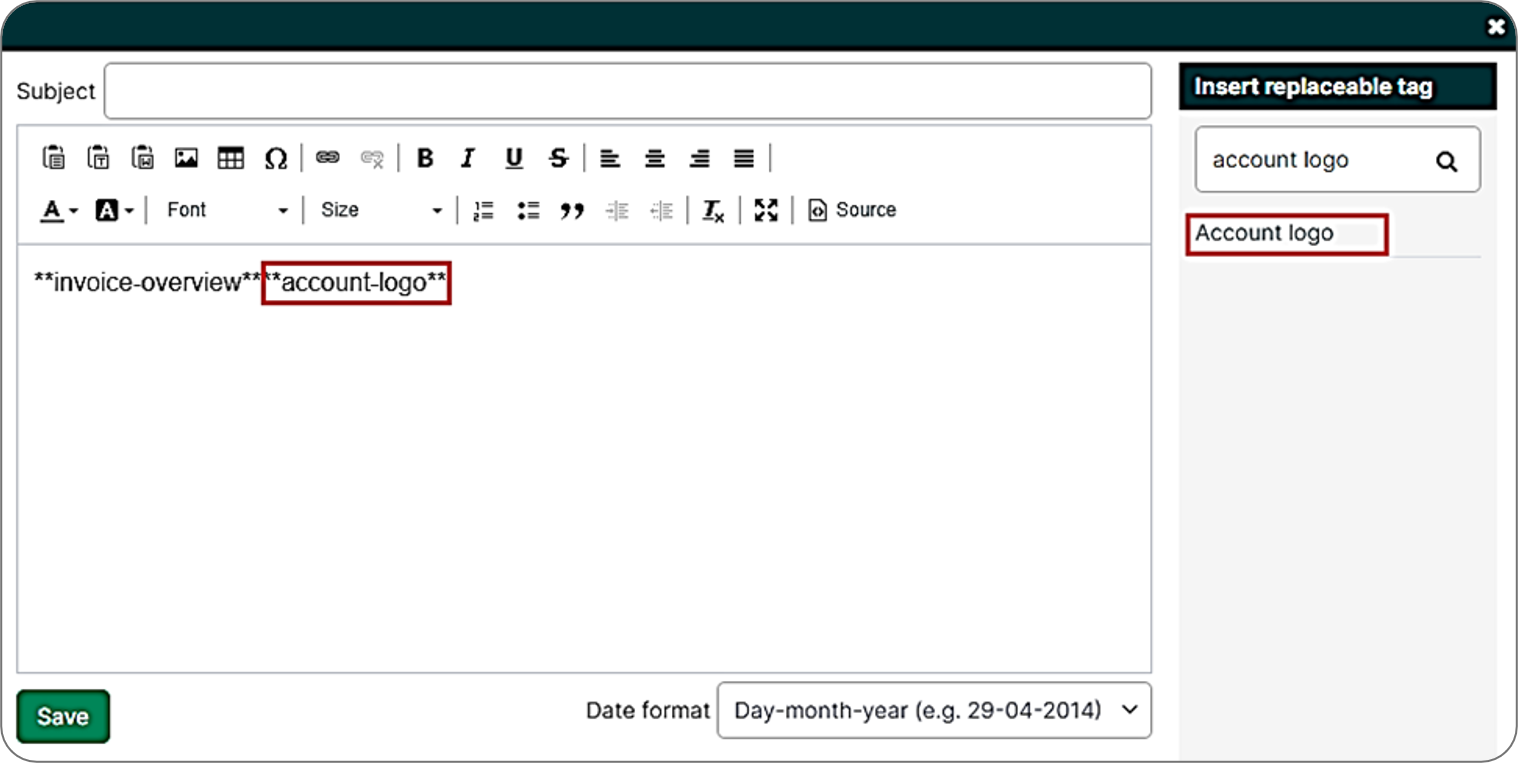
The content of the **account-logo** tag is determined by the account field template_logo, which is itself configured in the property assigner. When the value of this field matches the name of a logo in the branding library, that logo will be published. If no match is found, no logo will appear.
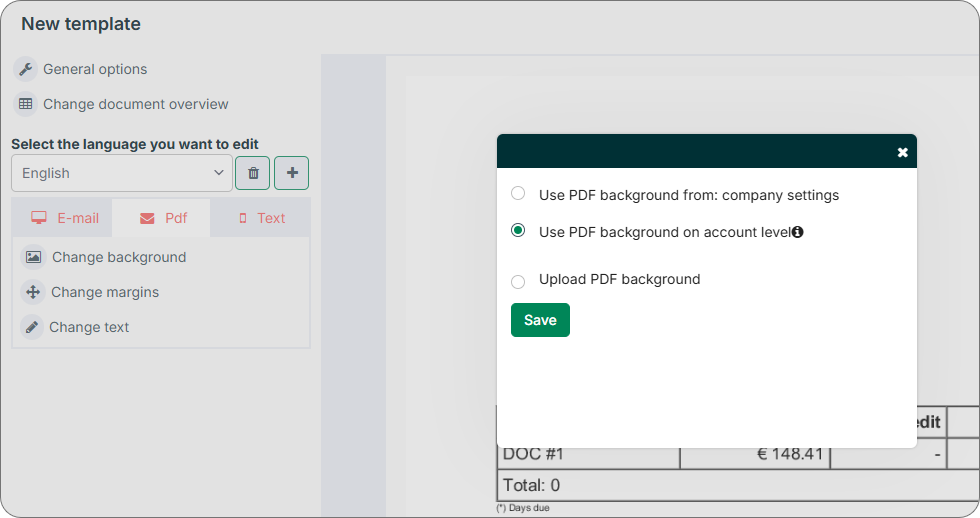
To set PDF backgrounds at the account level, configure the account field template_background in the property assigner. In the template editor, select PDF > Change background > Use PDF background on account level.