Use AI procedure recommendations
Procedure recommendation contains two main parts:
-
Autopilot segment procedures: for each segment an autopilot procedure is linked, the ideal procedure is immediately suggested for this procedure.
-
Optimization of all procedures: any custom procedure or autopilot procedure once established will get suggestions for optimization.
Autopilot segment procedures
The ideal procedure is immediately suggested for each segment with a linked autopilot procedure.
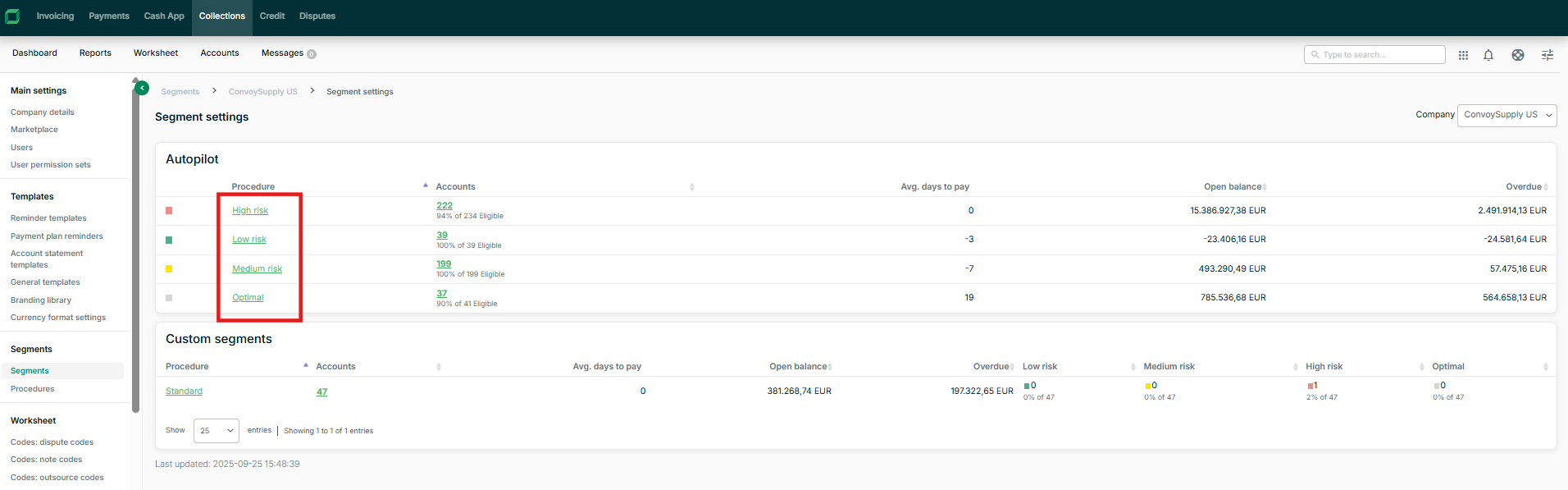
Click the name of the procedure from the segments page in the autopilot table to navigate to the procedure settings:
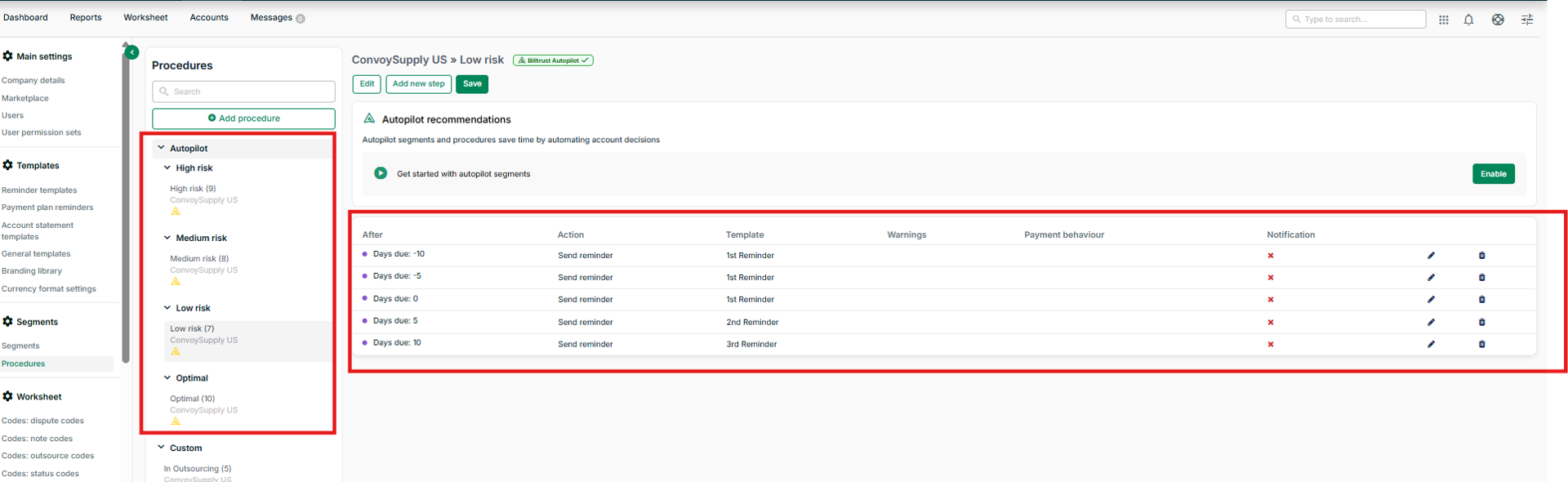
In the procedure settings you will see that there is a new category for ‘Autopilot’, under that section you will find the recommended autopilot procedures. The example below shows the settings for the low-risk procedure.
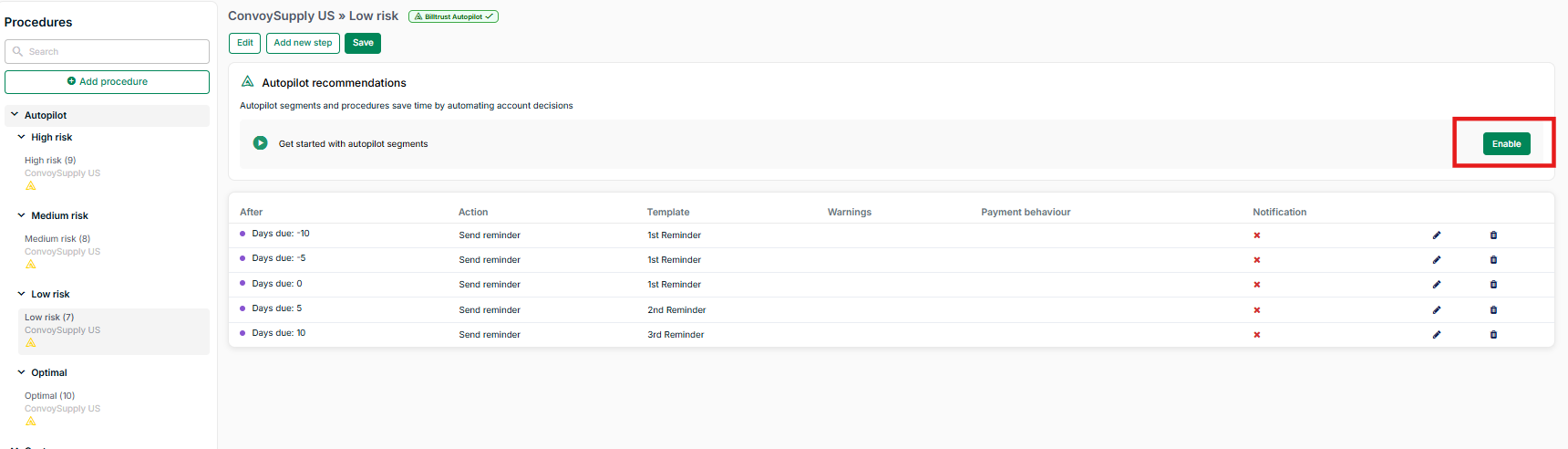
Enabling an autopilot procedure
The permission above the procedure is fetched using AI., but it does not immediately activate the procedure. Collectors must manually enable the procedure within the procedure settings.
No worksheet items will be generated for this procedure prior to enablement.
This is a one-time action.
In some cases the procedure is not complete because AI is unable to suggest an appropriate template. In those cases, you first need to fix the warnings before the procedure can be enabled.
Generating an autopilot procedure is automatic when the permission is enabled. The procedure is overwritten on a monthly basis automatically when if the user made no manual changes to the procedure settings and the procedure has no executed actions yet.
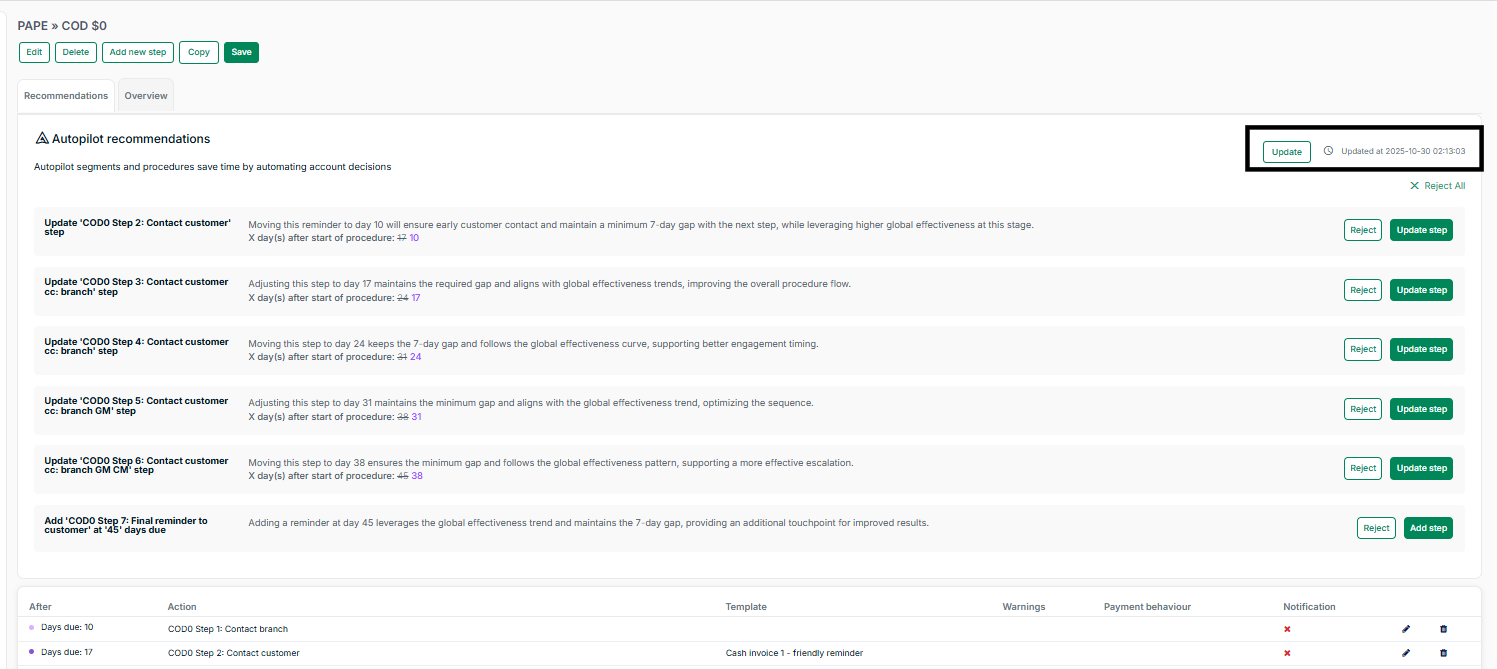
In the case of manual adjustments and/or procedure steps being executed on the account, the user sees recommendations for the autopilot procedures to adjust the steps.
Optimization of all procedures
All procedures in collections receive recommendation as described below except if the procedures apply to one of these conditions:
Procedure is a step-by-step procedure: these procedures won’t have recommendations as the recommendations currently only handle DIP based procedures
Procedure is an autopilot procedure for a segment that has no manual adjustments and/or executed procedure steps
Recommendation section in the UI
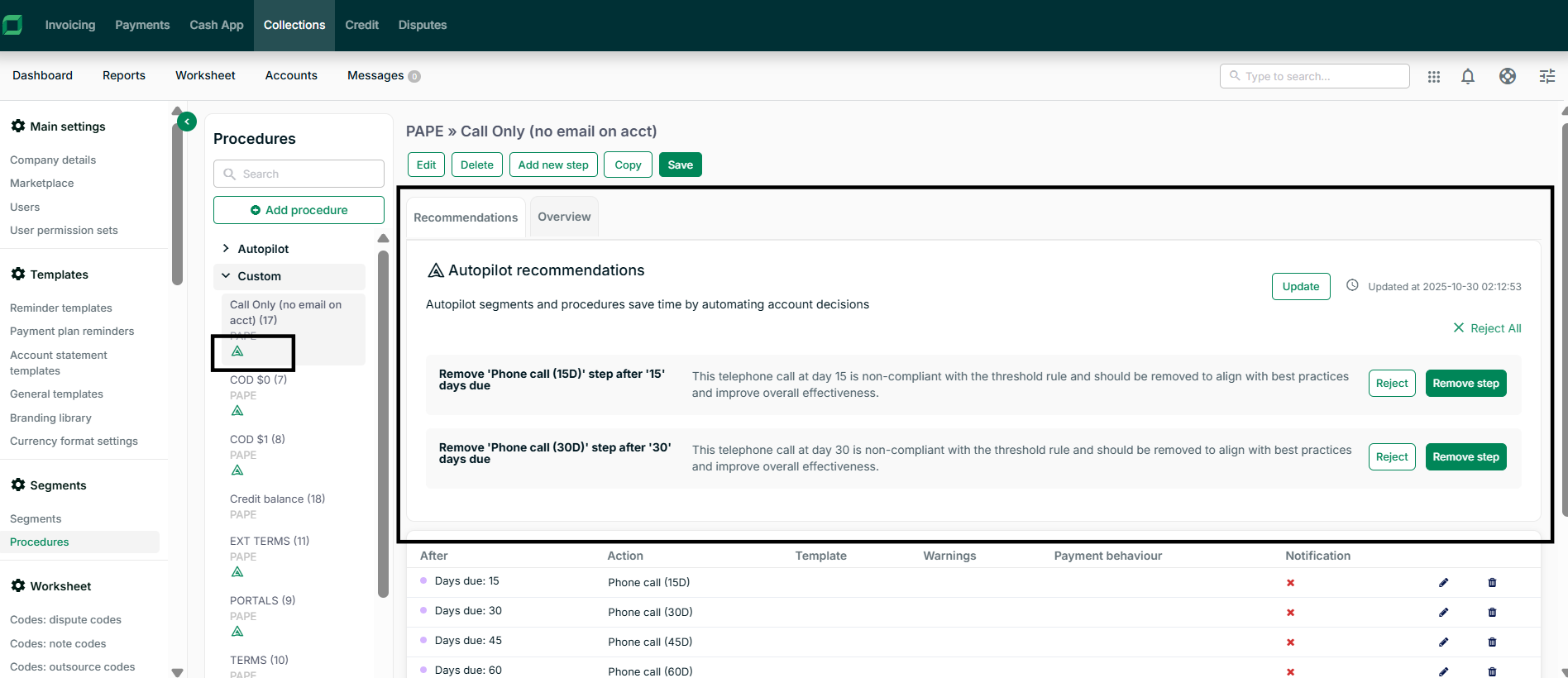
For each of the procedures the user has an indicator with a green autopilot icon. This icon appears for the procedures that currently have recommendations from AI that are not processed yet (declined or approved).
Click on the procedure to see the new section for Recommendations. This contains a list of all the updates that AI is suggesting to the procedure.
Recommendation actions
There are three (3) types of recommendations to the current procedure:
-
Remove step removes one of the steps out of the procedure
-
Update step adjusts a current step with a new action (telephone/reminder), a new template, a new DIP
-
Add step: adds a completely new step to the procedure
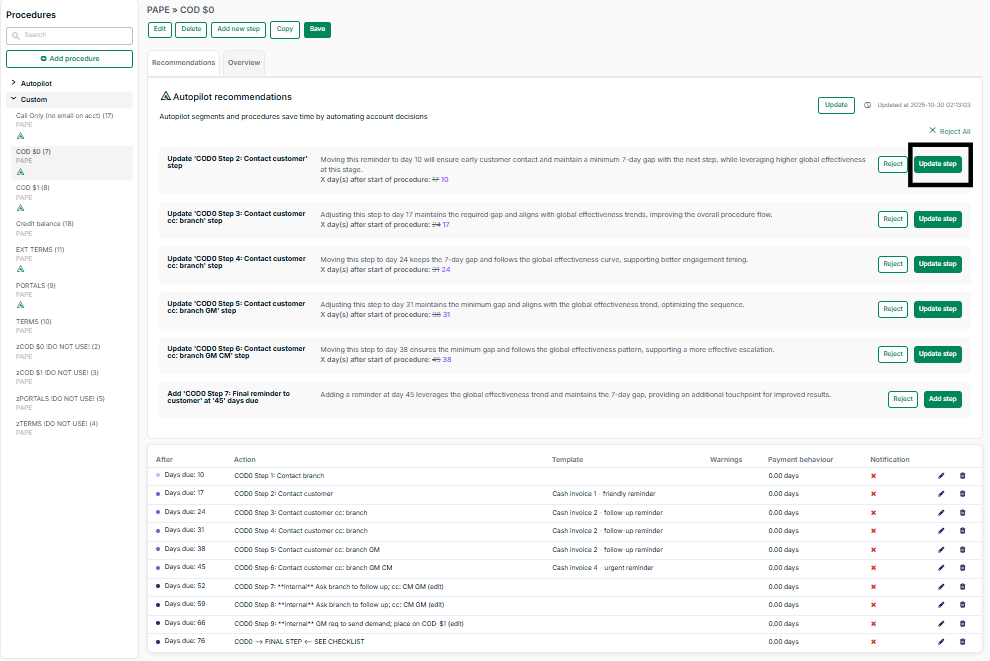
Purple indicates fields updated by AI and an orange warning is shown so you can make sure that the right template is selected. AI will suggest a template to be used in most cases but it is up to the user approving the change to make sure that this template is actually created and suitable for the step.
There is also an option to reject 1 or all recommendations from AI.
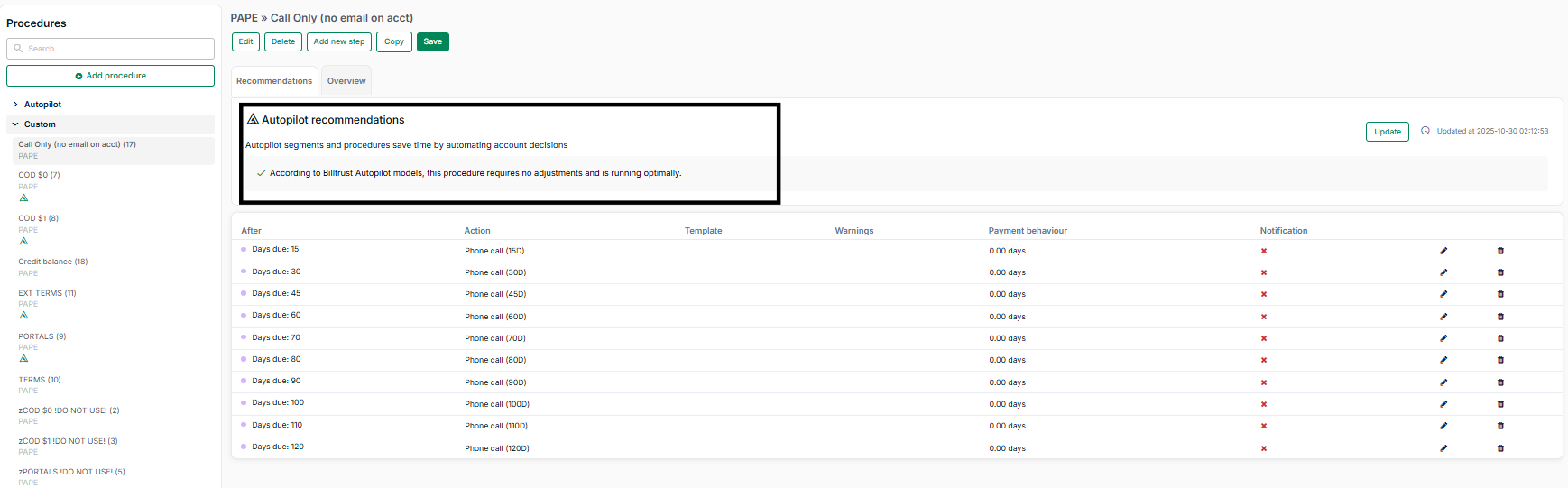
Once all recommendations are rejected or accepted the list will be empty and you will see a message that the procedure is running optimally based on latest information.
Recommendation updates
The recommendations list will update in the following scenarios:
-
Updated automatically on the 1st of every month.
-
You can accept or reject items anytime; accepted/rejected items are removed from the recommendations list
-
Want the latest recommendations before the month ends? Click “Recalculate” to update manually. The date will show you the last updated time of the recommendations list.