

About AI procedure recommendations
Billtrust Autopilot analyses account payment behavior to suggest procedure updates that increase collections effectiveness while reducing unnecessary outreach. Because this process runs automatically and continuously, procedures evolve as account behavior changes - no manual intervention required.
Buyer Segmentation
Billtrust Autopilot places each account in a risk tier based on its payment history. Separate procedure groupings are created for each tier, allowing your team to tailor collection approaches rather than applying a one-size-fits-all procedure to all accounts.
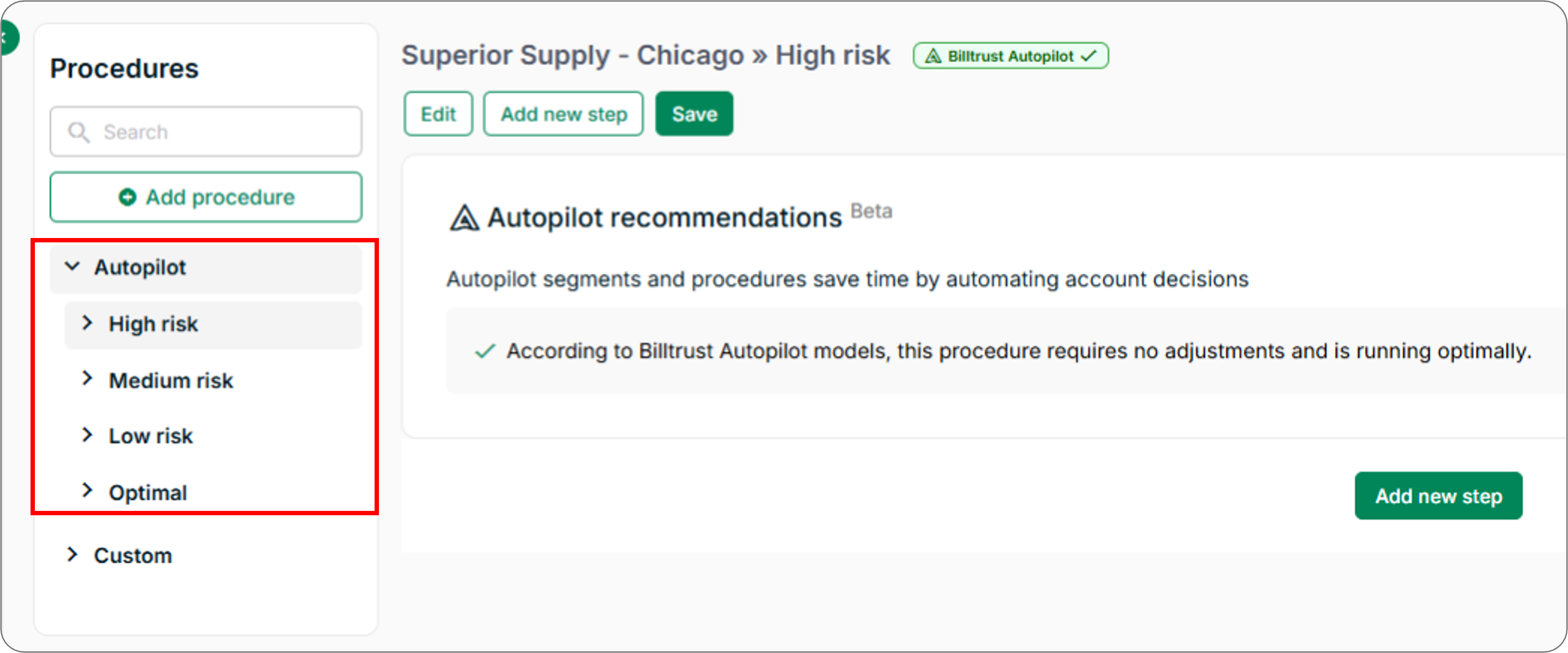
| Risk Tier | Description |
|---|---|
| High risk | Accounts are contacted sooner in the payment cycle to prevent overdue invoices |
| Medium risk | Standard collection outreach based on payment behaviour trends |
| Low risk | Accounts receive fewer reminders, reducing unnecessary outreach |
| Optimal | Accounts whose procedures Autopilot has determined require no adjustments and are running optimally |
Smart Timing Adjustments
Billtrust Autopilot evaluates the effectiveness of a procedural schedule and recommends timing optimisations. Examples include:
- Moving a reminder email earlier for high-risk accounts
- Reducing outreach frequency or delaying communication for reliable payers
- Adjusting call dates when current timing does not lead to successful contact
Behaviour-Based Optimisation
Billtrust Autopilot continuously monitors trends such as:
- When accounts tend to pay
- Which communication methods work best for each account
- Whether existing outreach steps lead to successful outcomes
This allows the system to recommend procedure updates that maximise effectiveness and prioritise high-impact actions.
Benefits
| Benefit | Description |
|---|---|
| More effective collections | Outreach is matched to account payment behaviour |
| Reduced workload | Less time spent updating procedures manually |
| Improved account contact experience | Low-risk accounts receive fewer unnecessary reminders |
| Better resource allocation | Staff time is focused where it has the most impact |
| Future-proof procedures | Billtrust Autopilot continually re-evaluates and refines recommended steps |
Related Articles
- Use AI Procedure Recommendations
- How Risk Segmentation Works
- Create Procedures
- Manage Procedures
- Add Account and Document Conditions
Need Help?
If Autopilot procedure groupings are not appearing on the Procedures page, confirm that AI procedure recommendations are enabled for your organization. Contact the Billtrust Support team for further assistance.