How risk segmentation works
The system will:
-
Automatically assign an autopilot segment to each debtor. A task is run daily to update the segments for each of the accounts
-
Assign procedures based on AI segments, existing manual rules, or manual overrides.
-
Provide UI for managing segments and viewing debtor lists.
Logic
Each account is given an autopilot segment label, but not every account will follow the procedure that is optimized for this segment.
The current procedure allocation and manual overwritten procedures still have priority. See the logic below.
Segment levels and procedure allocation
-
Autopilot segment (AI-assigned)
-
Assigned by an AI service based on debtor data
-
Hardcoded labels: High Risk, Medium Risk, Low Risk, Optimal
-
Each account will be assigned an autopilot segment
-
-
Rule-based procedure assignment
-
Uses a waterfall system: first positive match wins. If an account is matched based on the procedure allocation this has priority over the assignment to the autopilot segment and corresponding procedure
-
If no rule matches, defaults to the procedure corresponding to the autopilot segment
-
-
Manual override
-
Collector can manually assign any procedure to an individual debtor, overriding one (1) and two (2)
-
Segmentation in the UI
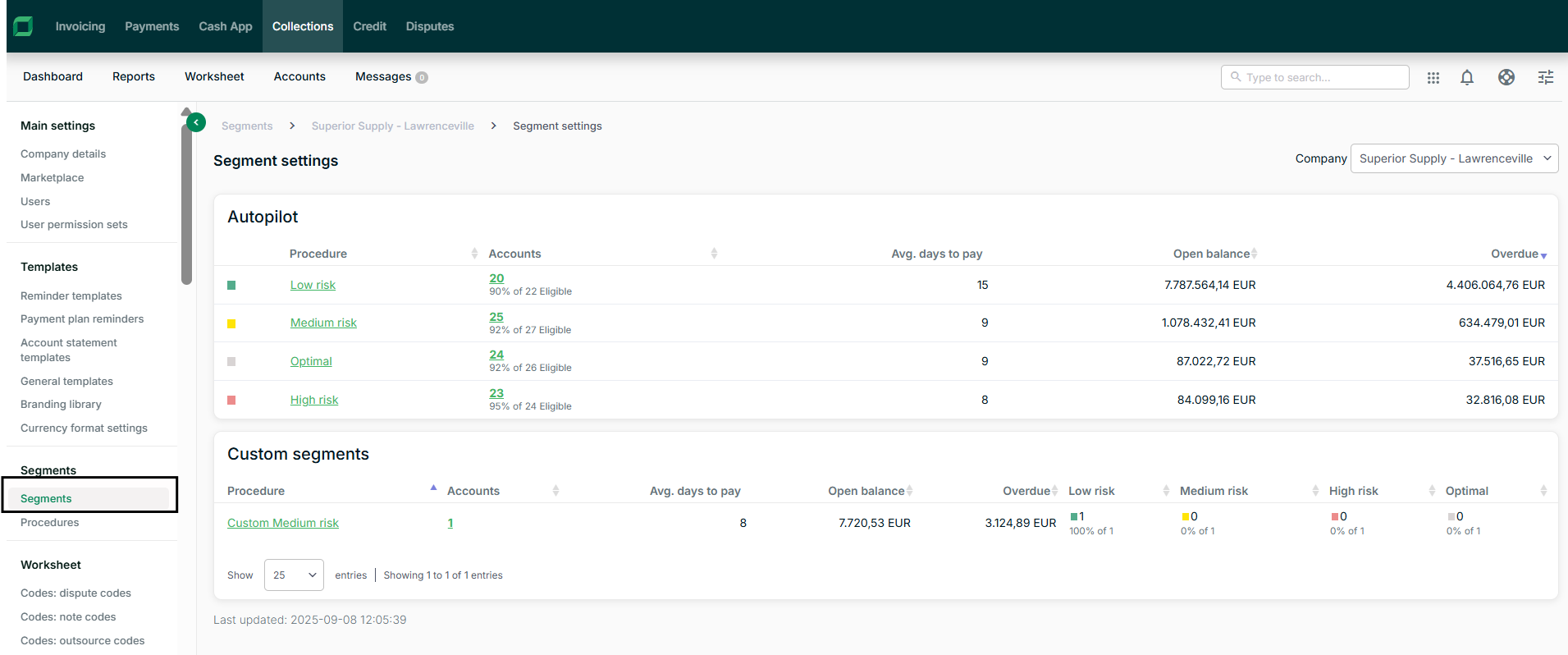
Segments Page
-
Autopilot: One (1) item for each of the default segments
-
Custom segments: One (1) line for each custom procedure using procedure allocation rules
-
Columns: Segment name, assigned procedure, number of debtors, last updated timestamp, link to procedure
-
Filtering by constituent
Segment Detail Page
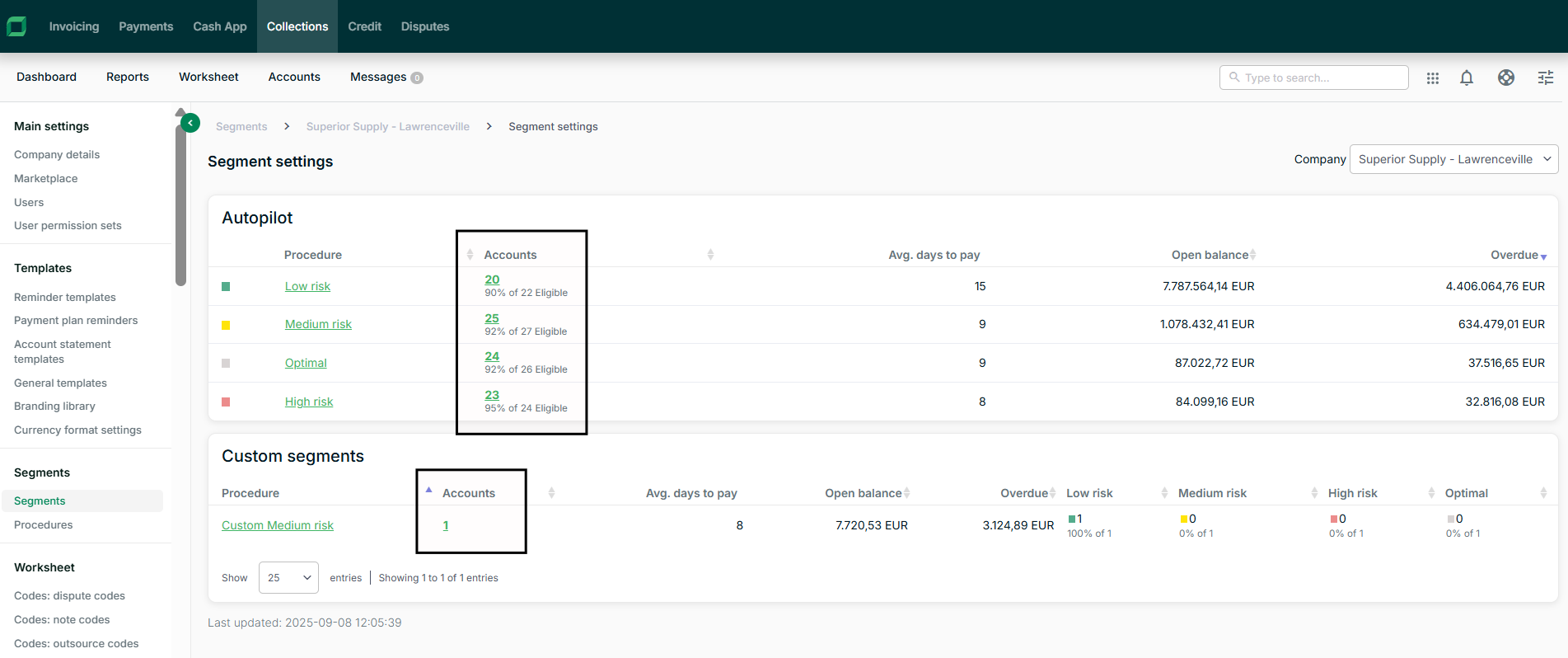
Selecting the number of accounts opens a list of all the accounts assigned to the autopilot segment or to all accounts that are in the custom procedure.
Account Page
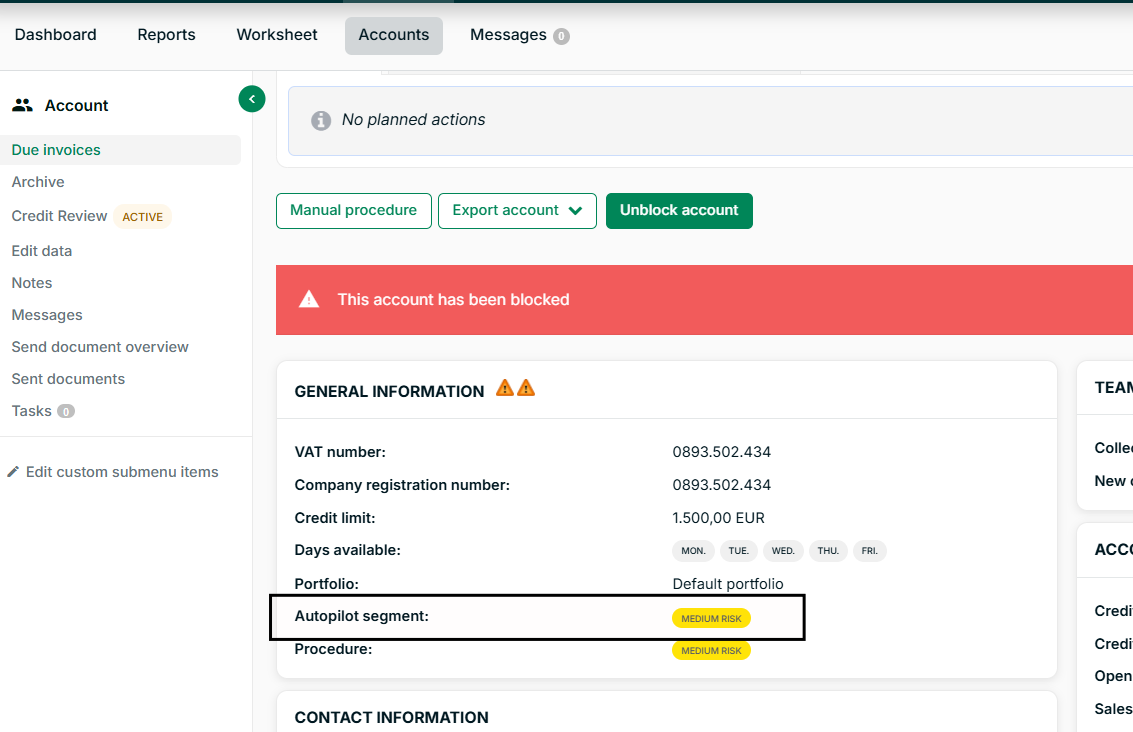
A badge shows the autopilot segment of the debtor.
The autopilot segment badge will be equal to the procedure badge only if the account is assigned to the autopilot procedure. The account can still be assigned to custom procedures based on procedure allocation or manual assignment.
Reporting
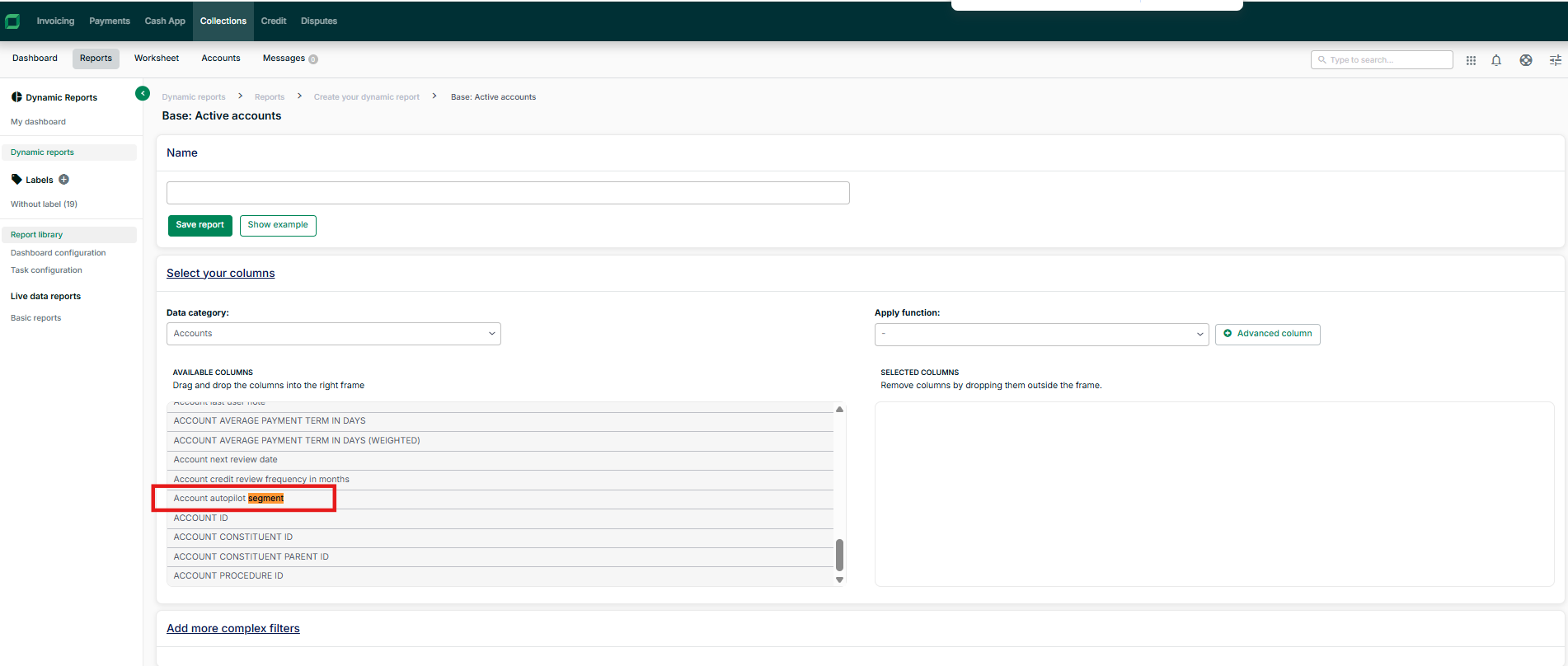
In the reporting module of collections, you will be able to find a new field for the autopilot segment.