

Import or export users
Importing users lets you add several new users at once from a CSV file instead of creating them one at a time. Exporting users downloads your existing user list as a CSV file. You do both from the User List in Billtrust, under Settings > Users.
1. What do you need to know before importing users?
Two limits apply to importing users in Billtrust:
- Only system administrators can add new users.
- You cannot use the import process to modify the settings of existing users. Importing adds new users only.
2. How do you import users?
- In the Billtrust platform, select Settings > Users.
- Select Import Users.
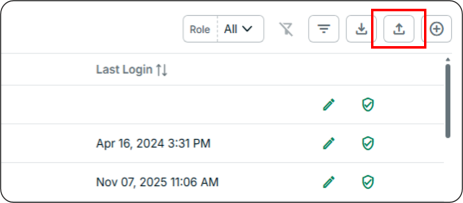
- Select Download Template (CSV file).
- Open the template on your device and then enter the following information for each user:
Email address
First name
Last name
-
Set the user access type:
-
All Access allows access across applications.
-
Role Based allows partial access based on assigned application roles. Learn more
-
-
For role-based access, use the Application Roles dropdown to select the appropriate role for each application in the Billtrust platform.
-
Select Select a file to upload your template.
-
Select Import Users.
3. How do you export users?
- In the Billtrust platform, select Settings > Users.
- Select Export Users.
A CSV file containing all user data downloads to your device.