

Use agentic email in Collections
Agentic email uses Billtrust Autopilot AI to automate time-consuming messaging tasks categorizing incoming emails, summarizing threads, and drafting replies. This reduces the time spent on routine email processing so collectors can focus on higher-value account interactions.
Use Autopilot Categories
Autopilot sorts of unread messages into predefined categories based on their content. Sorting emails by category helps you process them faster than replying in the order they arrived.
-
Account update
-
Dispute
-
Invoice clarification
-
No action needed
-
Payment plan
-
Payment verification
-
Promise to pay
-
Request for invoice
-
Response to representative
-
Response to supplier request
Draft Replies with AI
When answering account contact emails, Autopilot generates a summary of the thread and surfaces the context you need. If Autopilot detects any action items, it lists them as to-do items and strikes them through as they are completed.
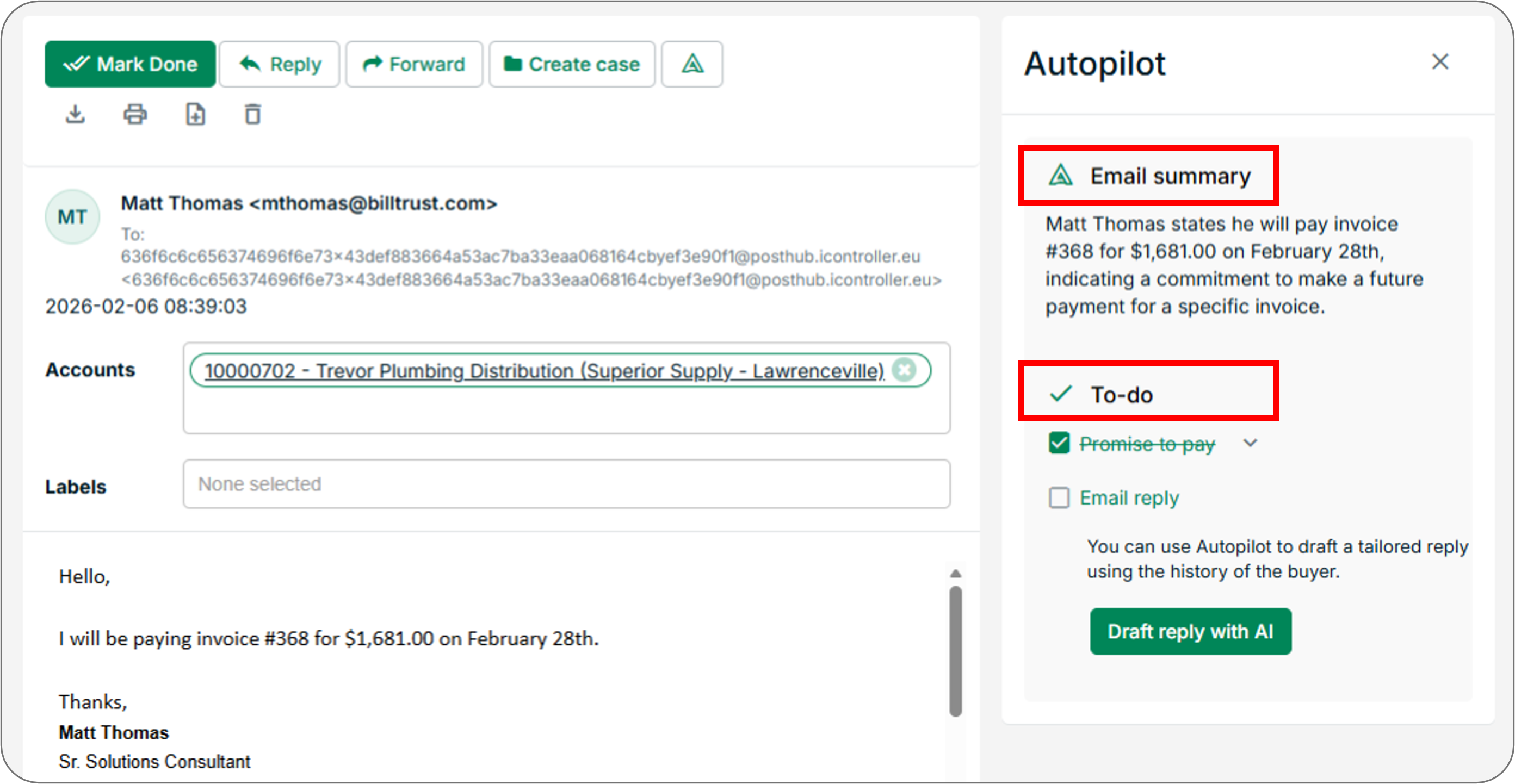
Select Draft reply with AI to generate a response based on previous emails in the thread. You can refine the content Autopilot generates using the following controls:
| Control | Options |
|---|---|
| Tone | Informal, Formal, Neutral, Urgent |
| Length | Short, Medium, Long |
| Custom prompt | Write a free-text prompt to help Autopilot craft a specific response |
After generating a draft, use the rich text editor to personalise the email before sending.
Note: Always review Autopilot-generated content for accuracy before sending - AI-generated drafts may require adjustments to reflect the specific details of the account or conversation.
Related Articles
- Send and Manage Messages in Collections
- Create Email Templates
- Send Manual Reminders
- Send Reminders via Text Message (SMS)
Need Help?
If Autopilot categories are not appearing on incoming messages, confirm that the agentic email feature is enabled for your organization. Contact the Billtrust Support team for further assistance.