Find invoicing accounts and documents
Both the Documents workspace and the Batches workspace include a search bar to help you find accounts or documents.
-
Select the search field, then enter a keyword or account number.
A typeahead feature retrieves results while you type.
-
Select Accounts or Documents to filter results by record type.
Alternatively, press Shift + Down Arrow to move between account and document results.
Search displays up to 10 account and document results at a time. To see all matching records, select More Results or press Enter.
Advanced search
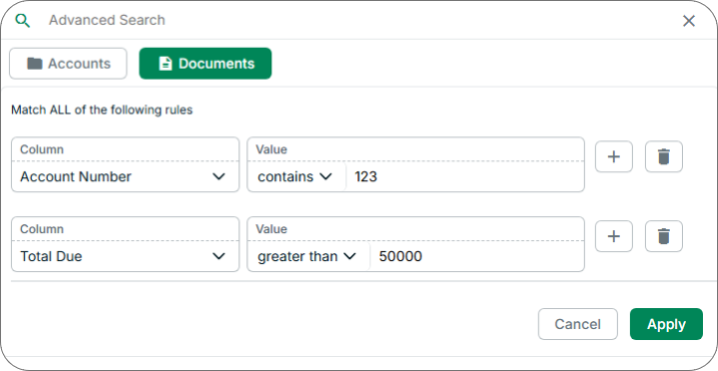
Gain more control over your search results by creating rules for each column. Only records that match all your rules will be returned.
-
In the search field, select Advanced Search, represented by a slider icon.
-
Select Accounts or Documents.
-
Use the Column dropdown to set the column you want to search.
-
Use the Value field to specify the records that should be returned.
-
(Optional) Select the Plus (+) button to add another rule.
You can stack up to seven rules.
-
Select Apply.