

About user synchronization
Users from the Billtrust platform will be synced to their corresponding collections platforms. Every user with All Access or Role-Based access to Collections in the Billtrust Platform will be added as a new user in Collections.
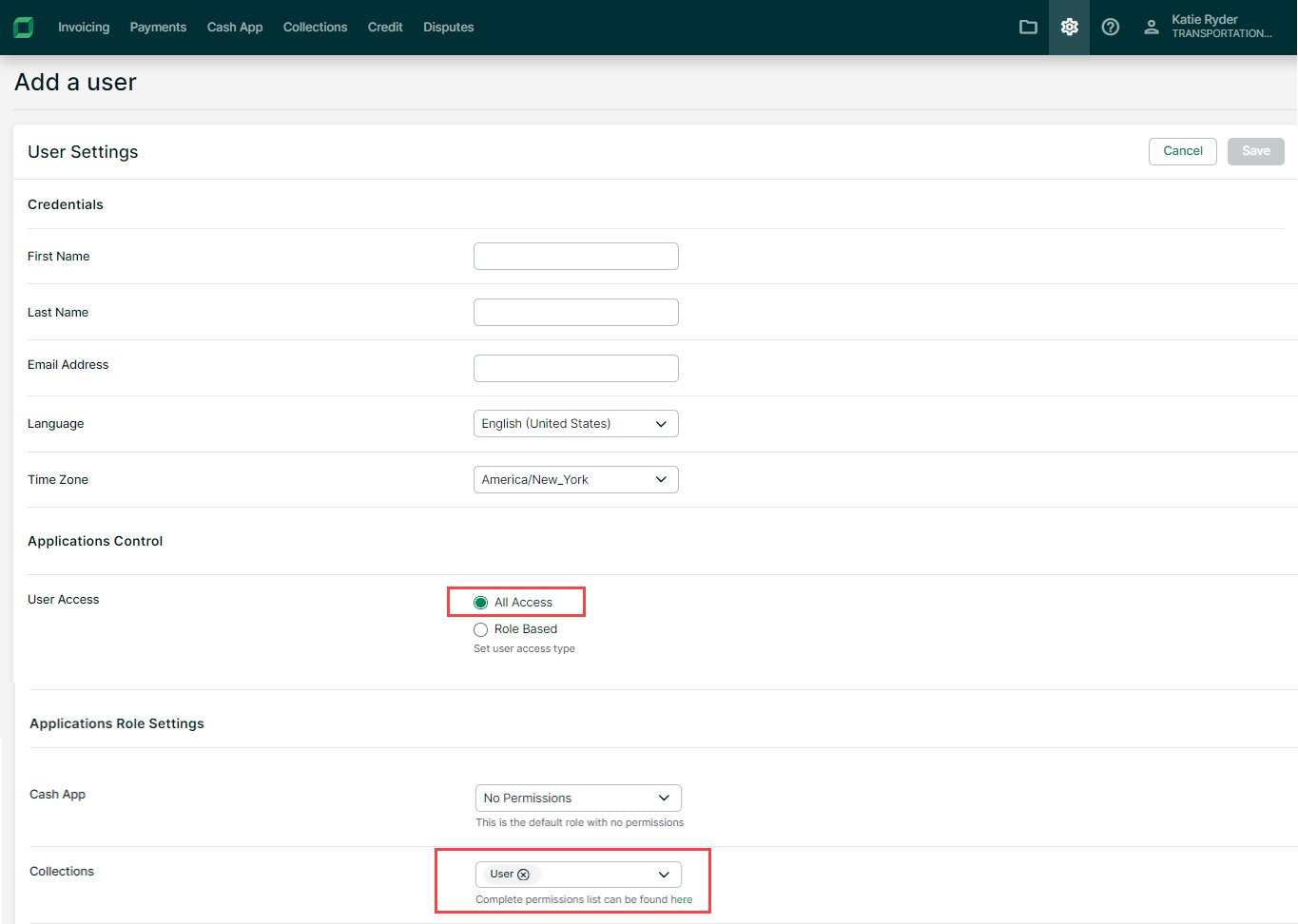
When a new user is added to the platform it will be created automatically in Collections with the following information from the Platform:
-
First name
-
Last name
-
Email address
-
Time zone
The user will be added as a User System Admin in collections and any other user settings required by Collections (mailbox, portfolio access, company access) still will need to be configured in Collections.
Language is not synced from the platform because the languages in platform and collections do not correspond exactly.
Updating Users
The following fields when editing a user in platform are synched to collections:
-
First name
-
Last name
-
Time zone
These 3 fields are only editable in the platform user settings and not in the collections user settings anymore. Updates on these fields in the platform are synced to collections.
Syncing Users
-
Once users are created in the Billtrust Platform:
-
The user is added to Collections by Manual Refresh.
-
If the user is not added using Manual Refresh, the user is added during an automated daily task.
-
-
To add the user by Manual Refresh:
-
Login as a Support User.
-
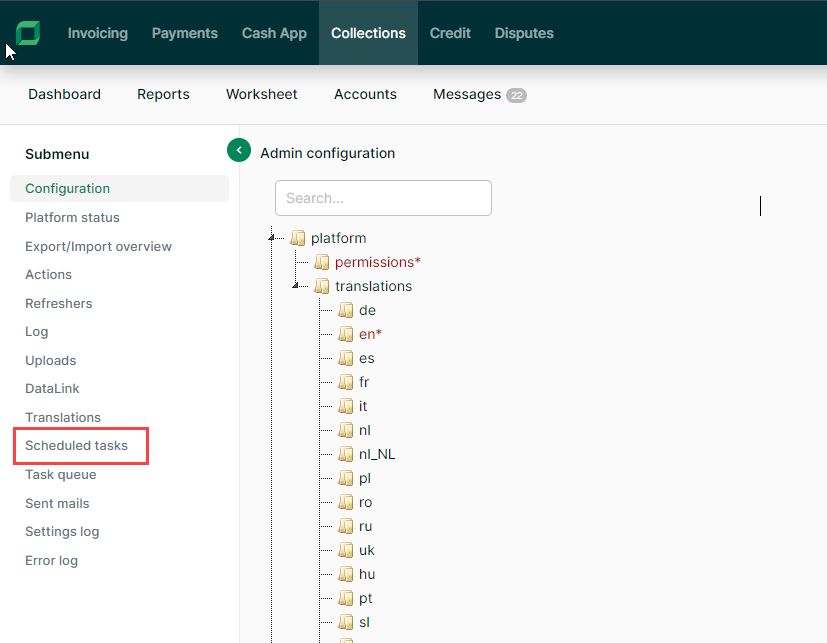
Select Admin Config.
-
Select Scheduled Tasks from the left navigation menu.
-
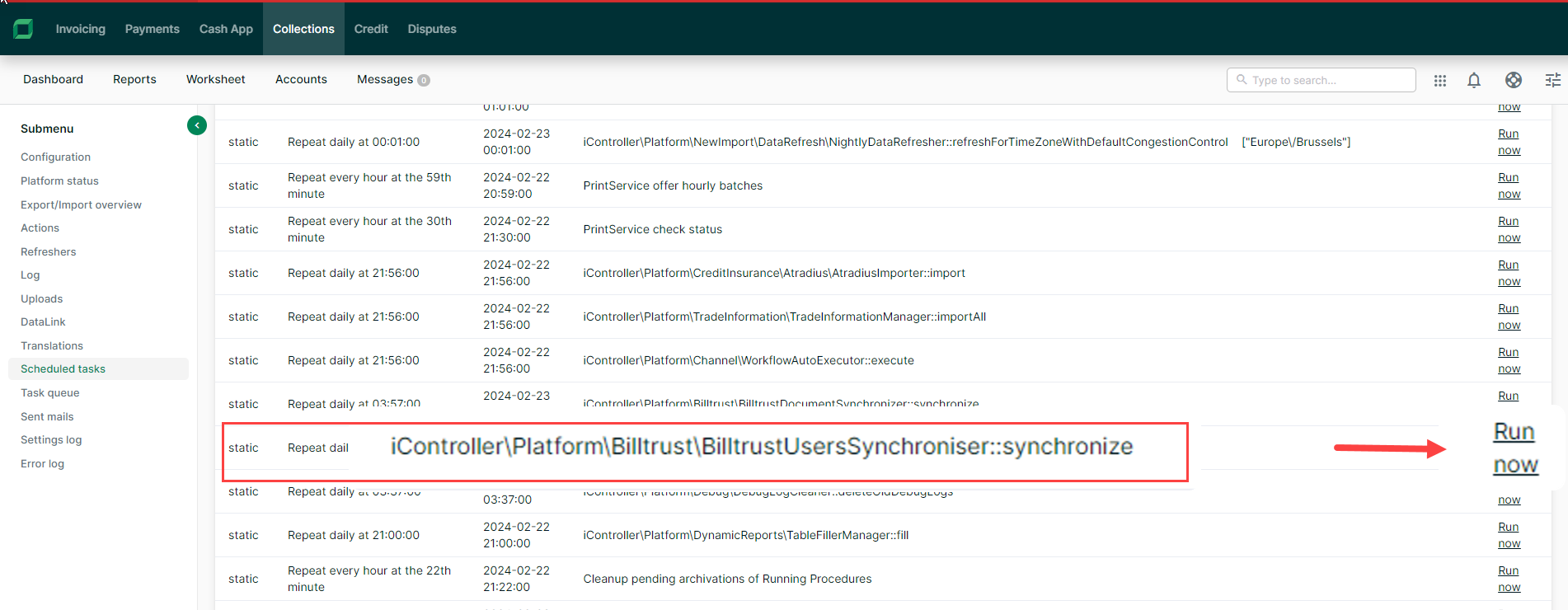
Find the User Sync task and select Run now.
Notes
-
When changing details in the Billtrust user profile (first name, last name or time zone) the changes are reflected when you go the user overview in collections (no manual sync is needed, the users will be updated upon page load).
-
When the role of an existing user changes so he does not have access to collections anymore:
-
the user will have his access denied to collections within 15 minutes if this user is logged in and actively using the application
-
the user will be put on inactive
-
within the 15 minutes, as mentioned above
-
right after the manual sync
-
during the daily sync
-
-
-
If a deactivated user becomes active again in Billtrust, the user will become active again in the same way they were deactivated (above).