

Configuration
Credit Review requires several configuration steps before it is available to users. Complete the following steps in order to enable the feature, assign roles, configure tracking lists, set up reporting, and define automatic triggers.
Step 1: Enable Collections Permissions
Credit Review must be enabled in the Collections admin configuration before any users can access it.
- Go to Settings → Admin configuration.
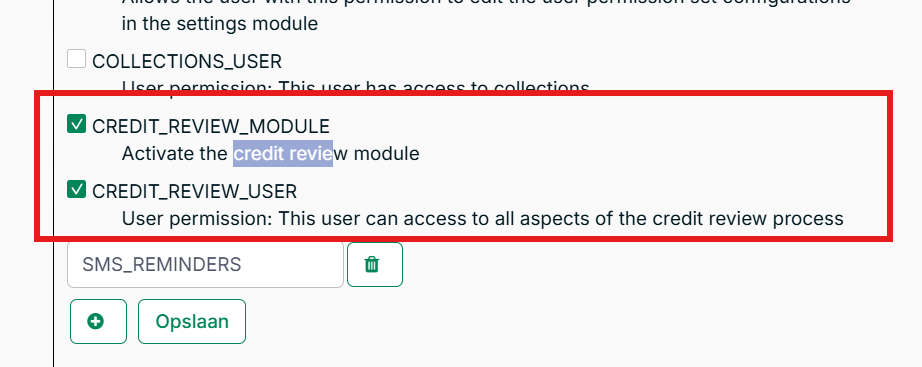
- Enable credit_review_module - this activates the Credit Review feature for your Collections environment.
- Enable credit_review_user - this grants full Credit Review access to all Collections users.
Step 2: Enable the Credit Review User Role
A dedicated Credit Review user role is available for users whose primary responsibility is conducting credit reviews. Users with this role can only see accounts in credit review, access the credit review page, complete reviews, and adjust credit limits.
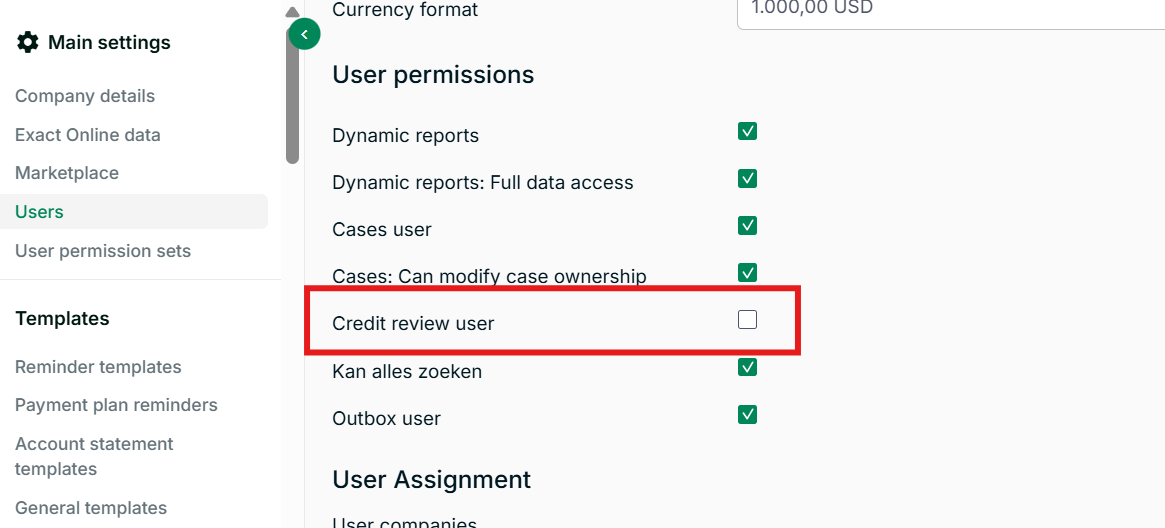
Note: You do not need to change the role of existing Collections users - the credit_review_user permission in admin configuration grants full Credit Review capabilities to existing users without requiring a role change.
To disable the Credit Review user role for a specific user:
Go to Settings → Users, select the user, and disable the Credit Review user permission in their user permissions settings.
Step 3: Enable the Credit Review Tracking List
One default tracking list is available that shows all accounts with an active credit review. To add it, go to Settings → Worksheet settings and add the Accounts in credit review tracking list.
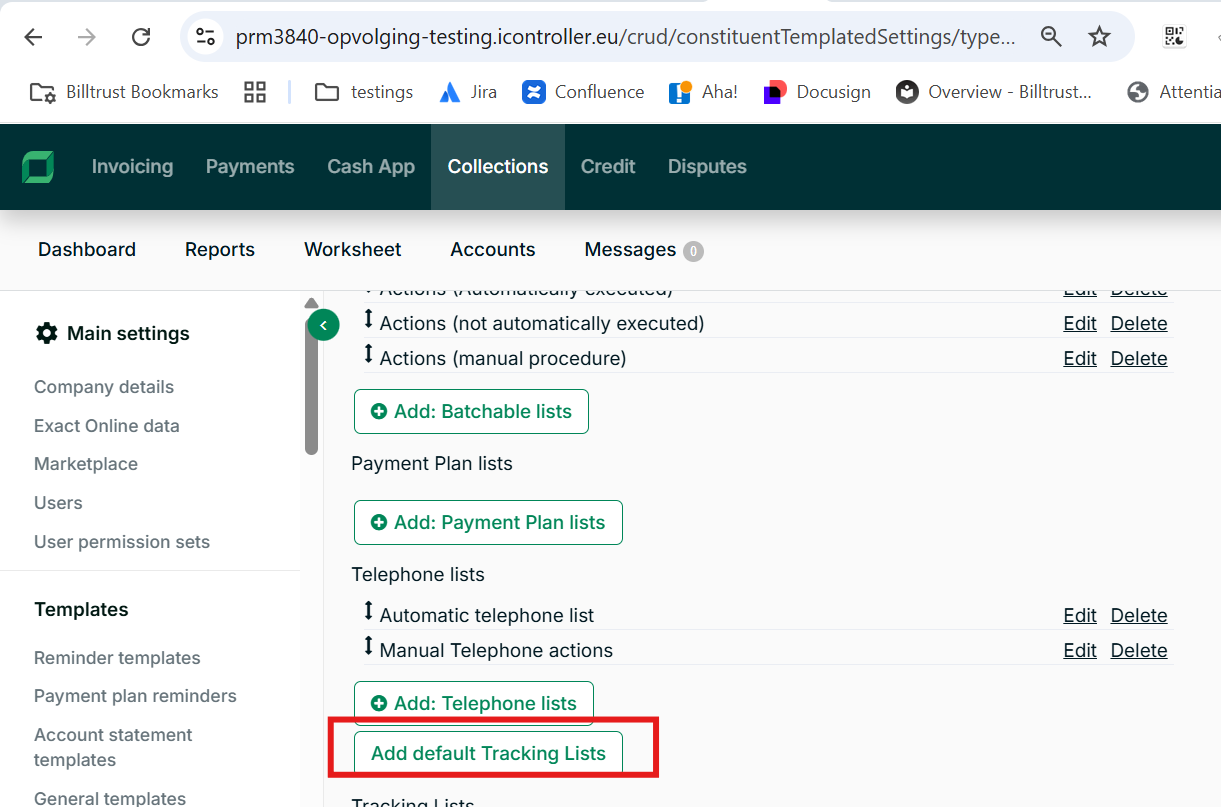
The default tracking list includes the following columns:
| Column | Description |
|---|---|
| Account name | Credit review debtor name |
| Account reference | Credit review debtor reference |
| Credit limit | Credit review initial credit limit |
| Credit limit currency | Currency of the initial credit limit |
| Start date | Credit review start date |
| Reasons for review | Review reason types, comma-separated |
| Last credit review note | Most recent note recorded during credit evaluation |
| Total outstanding | Total open balance across all invoices |
| Total due | Total balance of invoices past their due date |
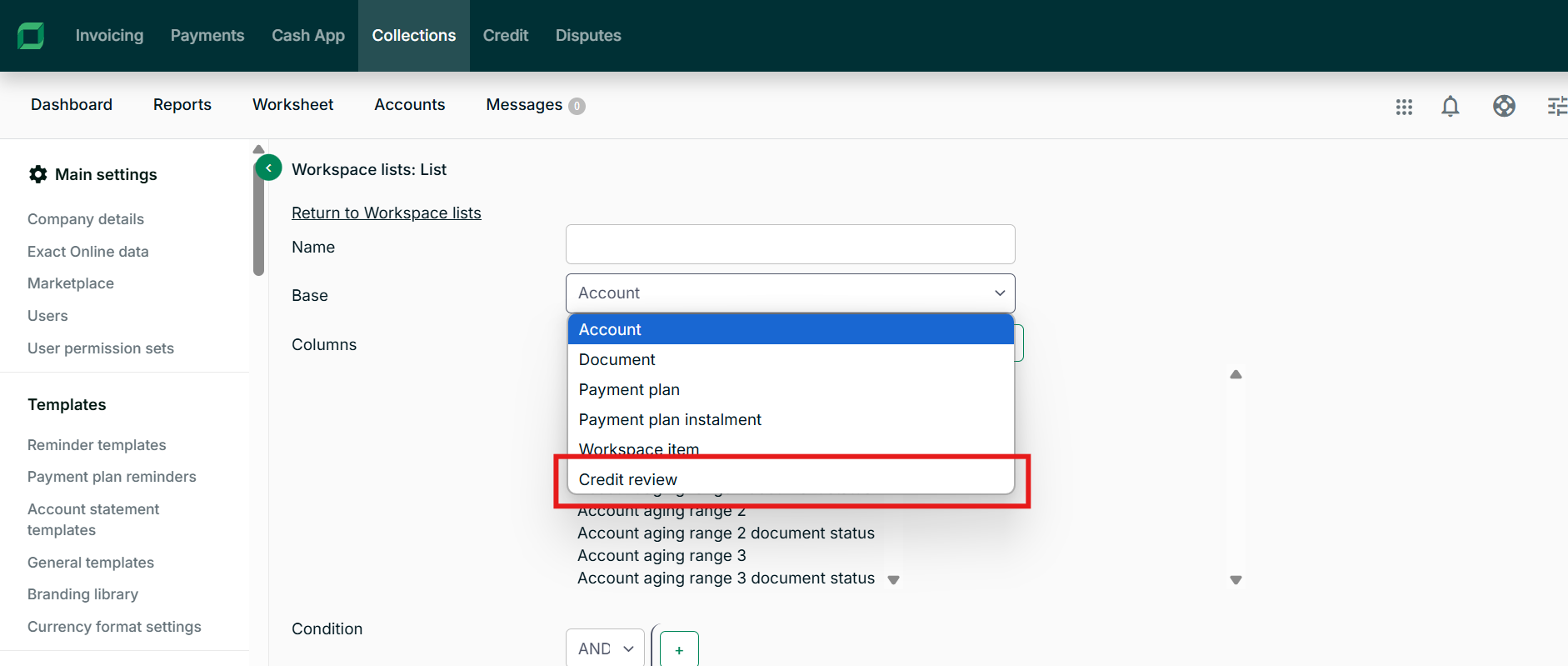
You can also create a fully customized tracking list using Credit review as the base.
Step 4: Create a Dynamic Report
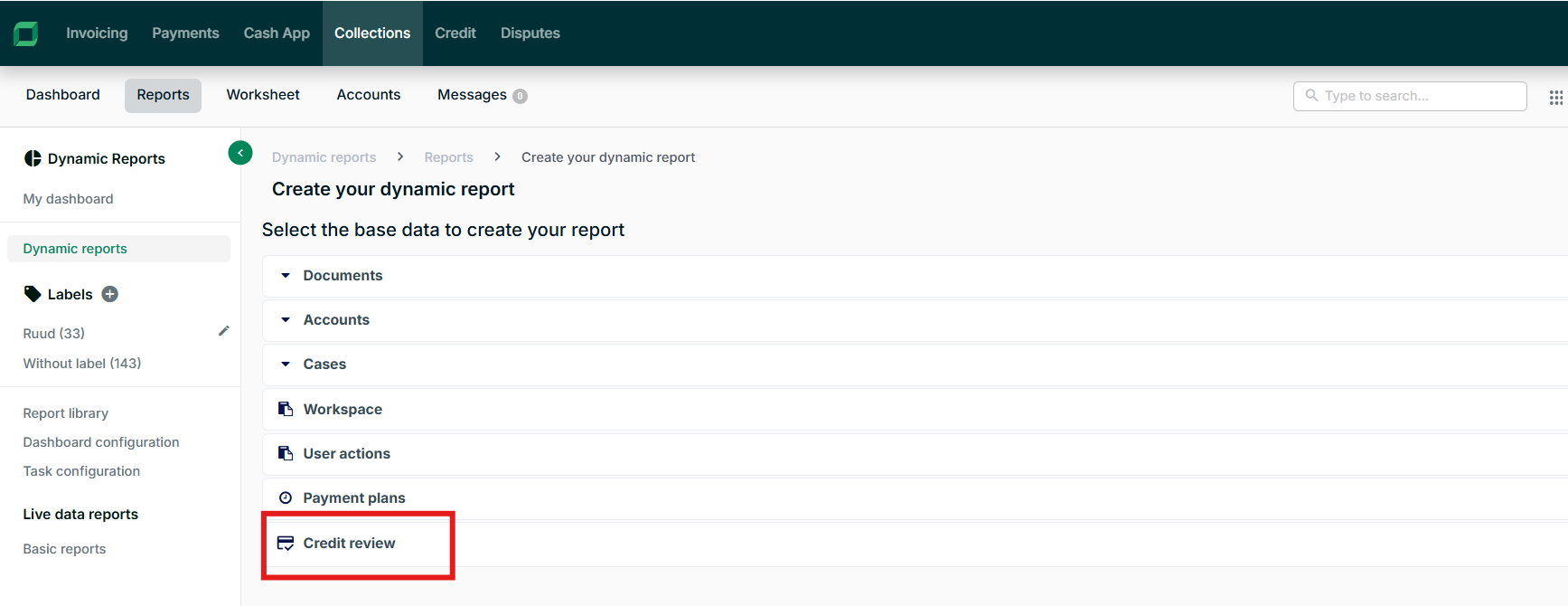
Create dynamic reports to track active and completed credit reviews. Select Credit review as the data type when creating a new report.
Use reports together with the task configuration to send daily or weekly credit limit updates to your ERP system. See Configure and Schedule Tasks for scheduling instructions.
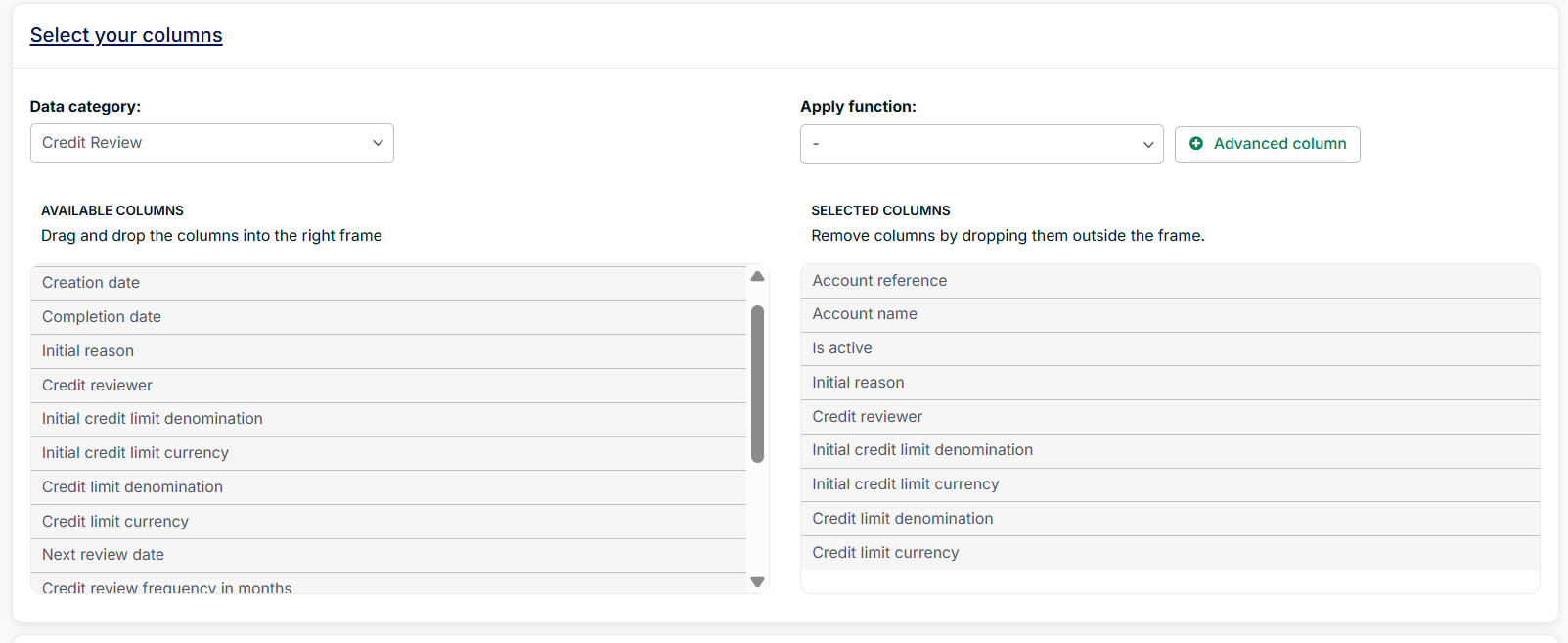
An important field to include in credit review reports is credit limit denomination - this is the credit limit set upon completing the credit review. This value should flow back into your accounting system.
Step 5: Set Triggers for Credit Review
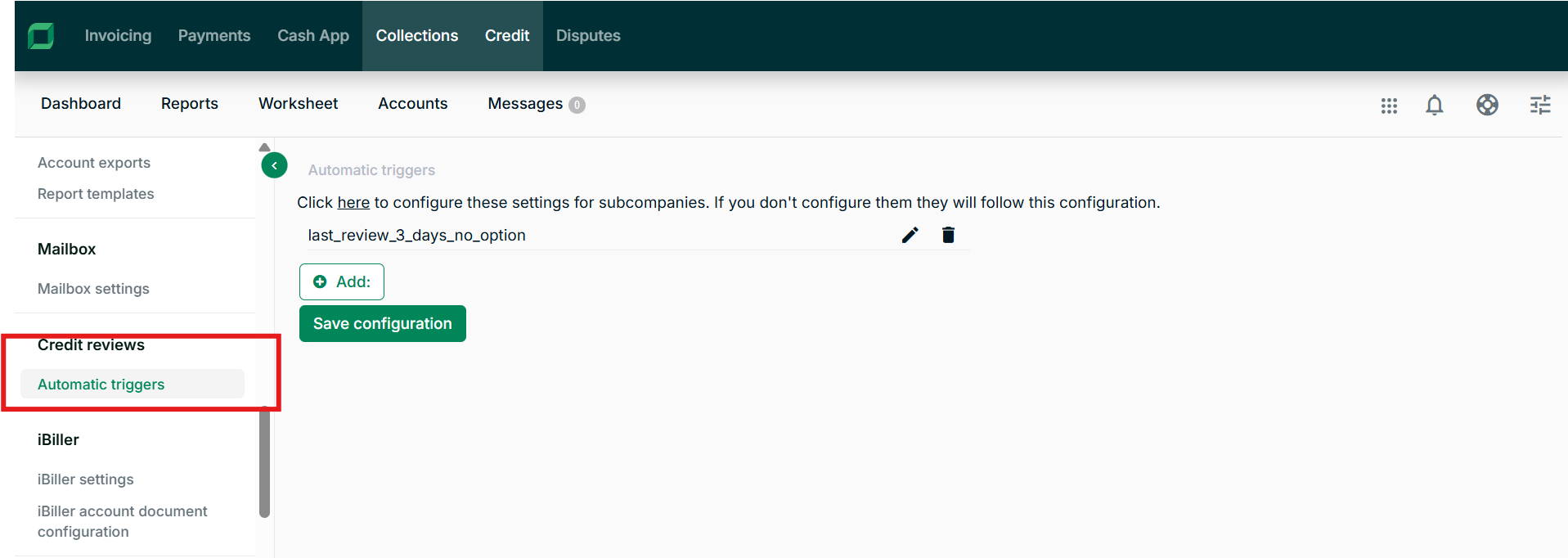
Configure automatic triggers to start a credit review when specific account conditions are met - for example, when credit utilization exceeds 80%.
Navigation: Settings → Automatic triggers → Add
When creating a trigger:
- Enter a name - this name also appears as the reason for review when the trigger fires.
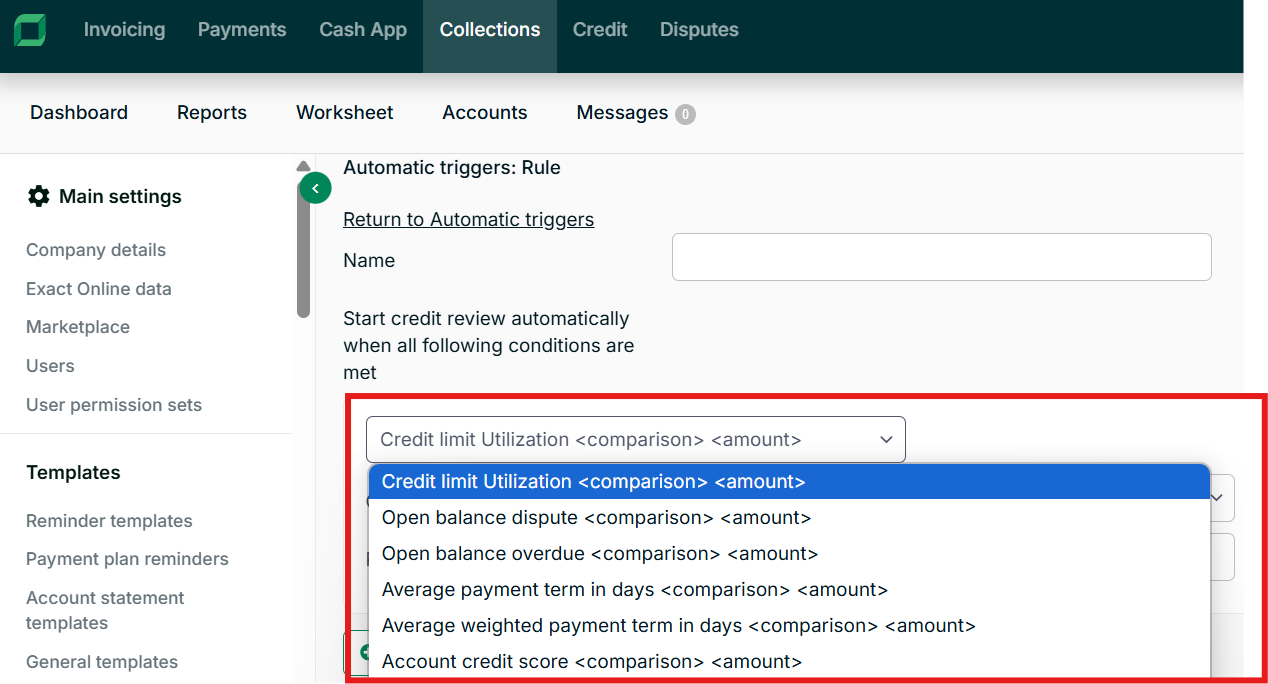
- Define one or more conditions. When all defined conditions apply to an account, it moves to active review status.
Standard Triggers
| Trigger | Operators |
|---|---|
| Percent of open balance overdue | Greater than, less than |
| Credit limit utilisation (%) | Greater than, less than |
| Average payment term in days | Greater than, less than |
| Average weighted payment term in days | Greater than, less than |
| Open balance in dispute (%) | Greater than, less than |
| Account Credit Score (BT Score) | Greater than, less than |
| Custom | Custom fields at account level |
Third-Party Bureau Triggers
The following triggers are available when third-party credit bureau integrations are enabled for your organization.
Experian
| Trigger | Format |
|---|---|
| Financial Stability Risk Score V2 | Numerical (1–100) |
| Credit Limit Recommendation | Monetary ($) |
| Intelliscore Plus | Numerical |
| Current DBT | Numerical |
CreditSafe
| Trigger | Format |
|---|---|
| Credit Rating | Numerical |
| Credit Limit Denomination | Monetary |
| Average payment expectation days | Numerical |
Dun & Bradstreet
| Trigger | Format |
|---|---|
| Credit Rating | Numerical |
| Credit Recommendation | Monetary |
| Paydex Score | Numerical |
| Paydex Norm | Numerical |
Related Articles
- Use the Credit Review Workspace
- About Agentic Credit Lines
- Manage User Settings in Collections
- Configure and Schedule Tasks
- Create Dynamic Reports
- Edit Company Details in Collections
Need Help?
If Credit Review is not visible in Collections after enabling the permissions, confirm that both credit_review_module and credit_review_user are enabled in admin configuration. Contact the Billtrust Support team for further assistance.