

Platform Updates
 October 2024
New features
Permission Audit Log
This new feature allows users to easily review audit logs for User Permissions changes. Audit entries from October 1, 2024 and going forward can be displayed. Audit entries are stored for one year. Users can review changes as well as research information such as:
- when a user was added/removed
- who added/removed a user
- when a user’s role changed
May 2024
New features
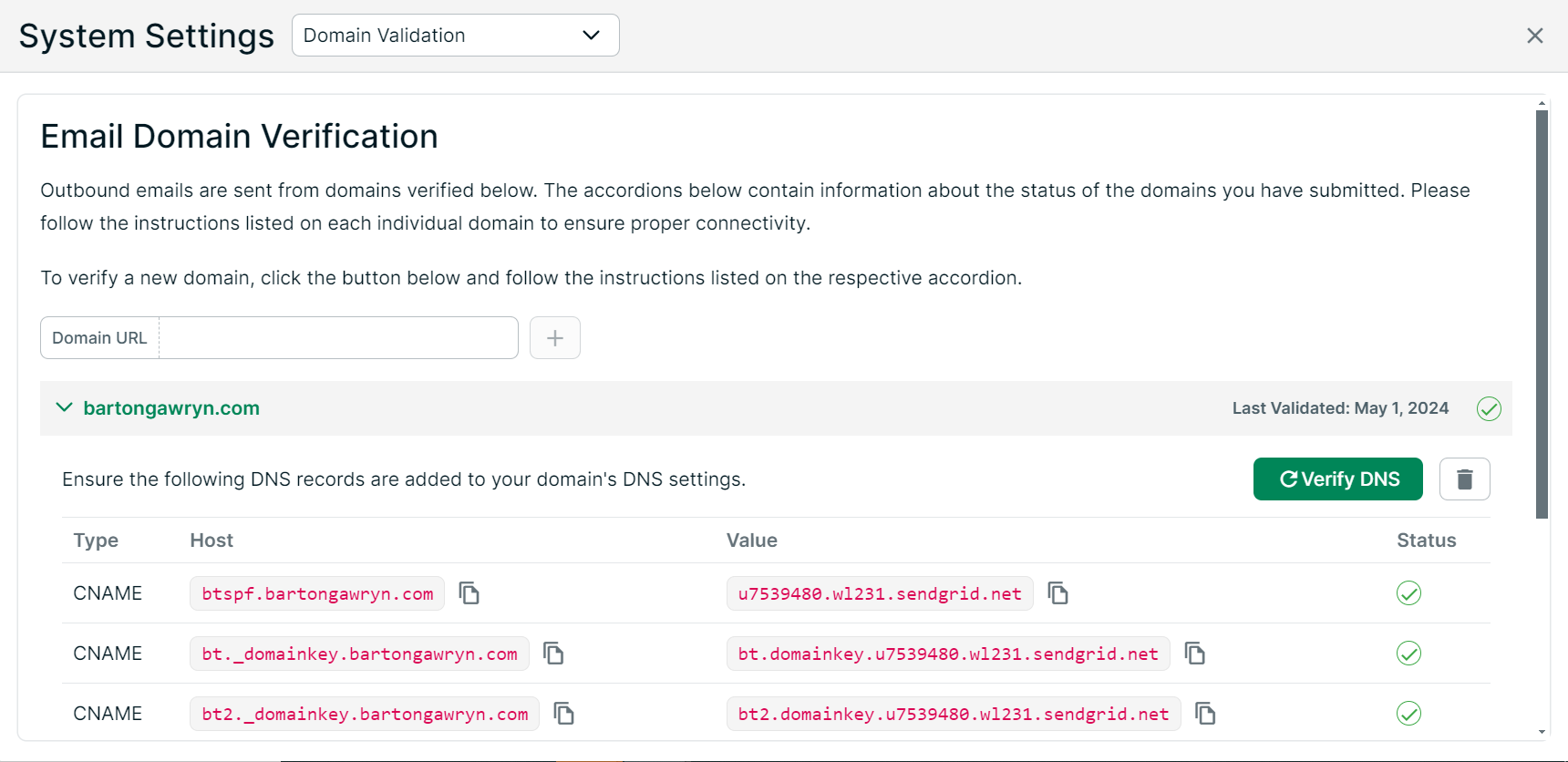
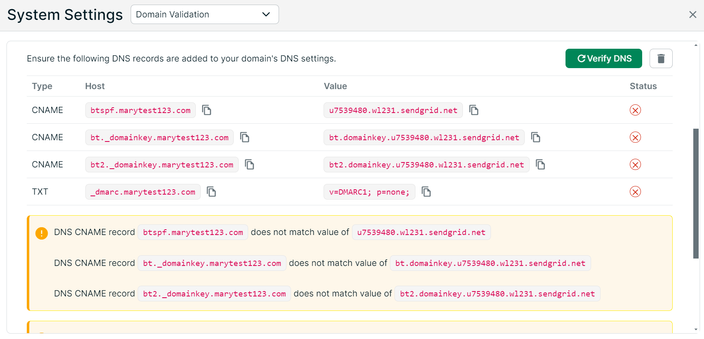
New custom Email Domain Verification tool
Users can now verify the email domain they use for outbound emails.
JP Morgan E-Sign Consent Pop Up on the log in the screen
With the addition of links to the J.P. Morgan Privacy Policy pop up and e-sign consent, J.P. Morgan users now acknowledge they have read and accept the J.P Morgan Privacy Policy and e-sign consent by clicking Sign In.
New style option for the Invoicing team to leverage on the Invoicing dashboard
The H1 style added presents a larger, green font when selected. The H6 style added presents a smaller, light gray option when selected.
February 2024
New features
Updates to User Management
Client Connect customers enabled on the platform can now manage users from Users settings. Including the ability to:
- Delete users from Client Connect
Removing a user or their permissions in platform User Management will remove a user or their permissions from Client Connect
- Create users in Client Connect using platform User Management
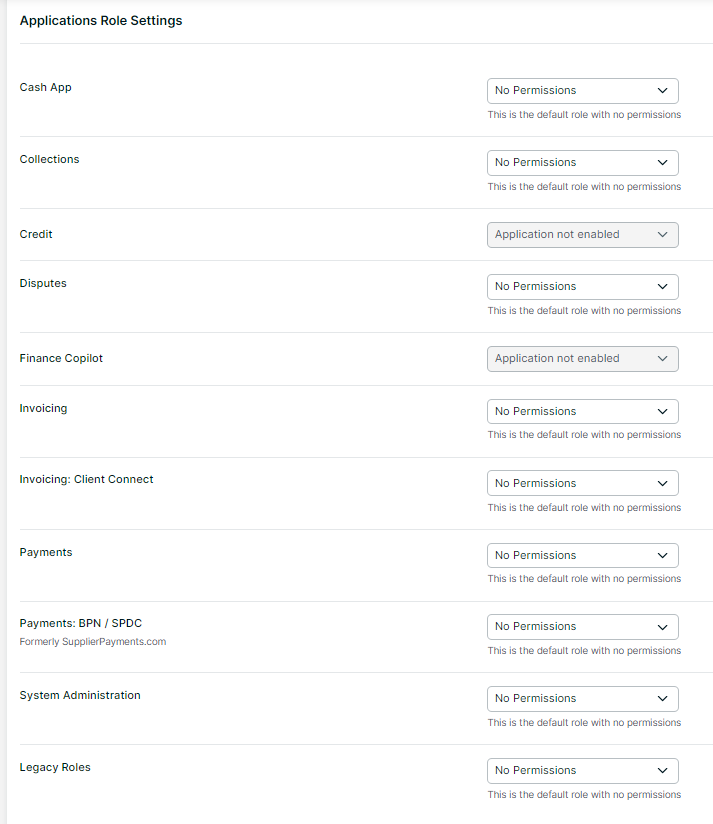
When a user is added and Client Connect permission is required, you can add it under the new section for Invoicing: Client Connect
NOTESelecting the All Access role in platform will create the Client Connect user as an admin group.
-
Manage roles for users in Client Connect using platform User Management
All user management will be done by admins from the Edit User screen and both Invoicing workspace roles and Client Connect group (roles) will be displayed for an existing user. The Researcher role will not be created for new tenants
January 2024
Enhancements
Style updates to the User List table
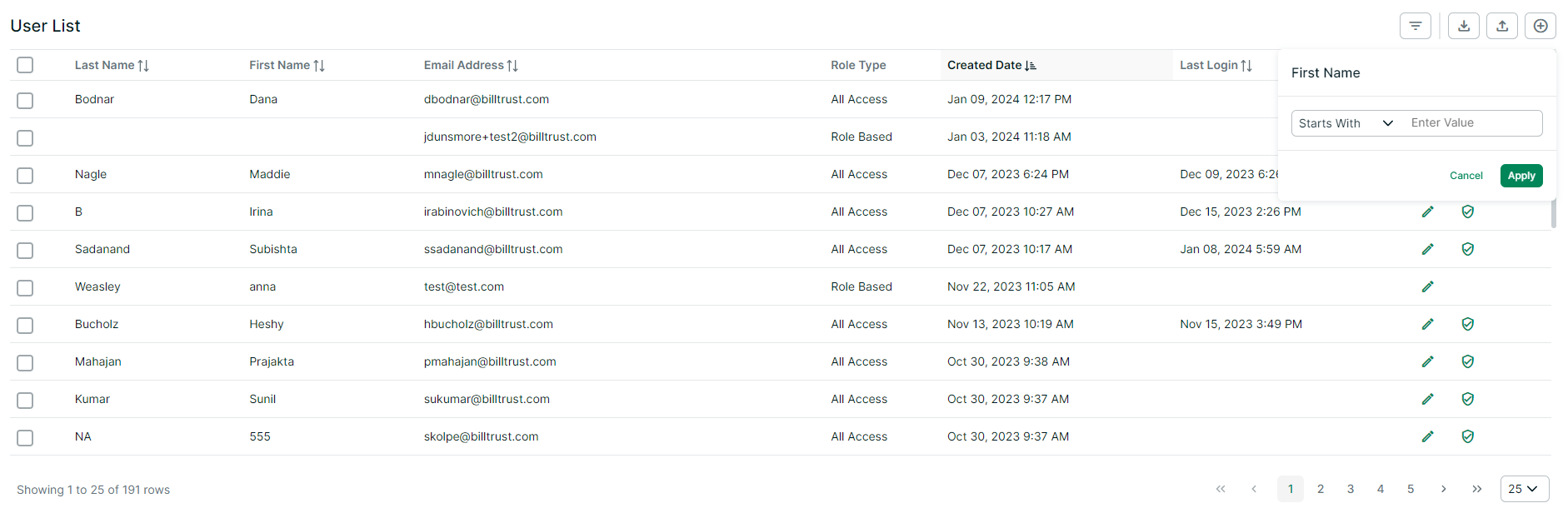
A new, compact table style includes a new way to filter and sort users
-
Click the filters icon
 to set filters
 -
Click the column header to sort
-
Select all or select all rows that meet a criteria
New table style
Message updates for the password reset flow
Updates to the password reset messaging to protect user information from potential bad actors identifying if they are exist in our system
New message
If your email matches our record a verification code is sent.
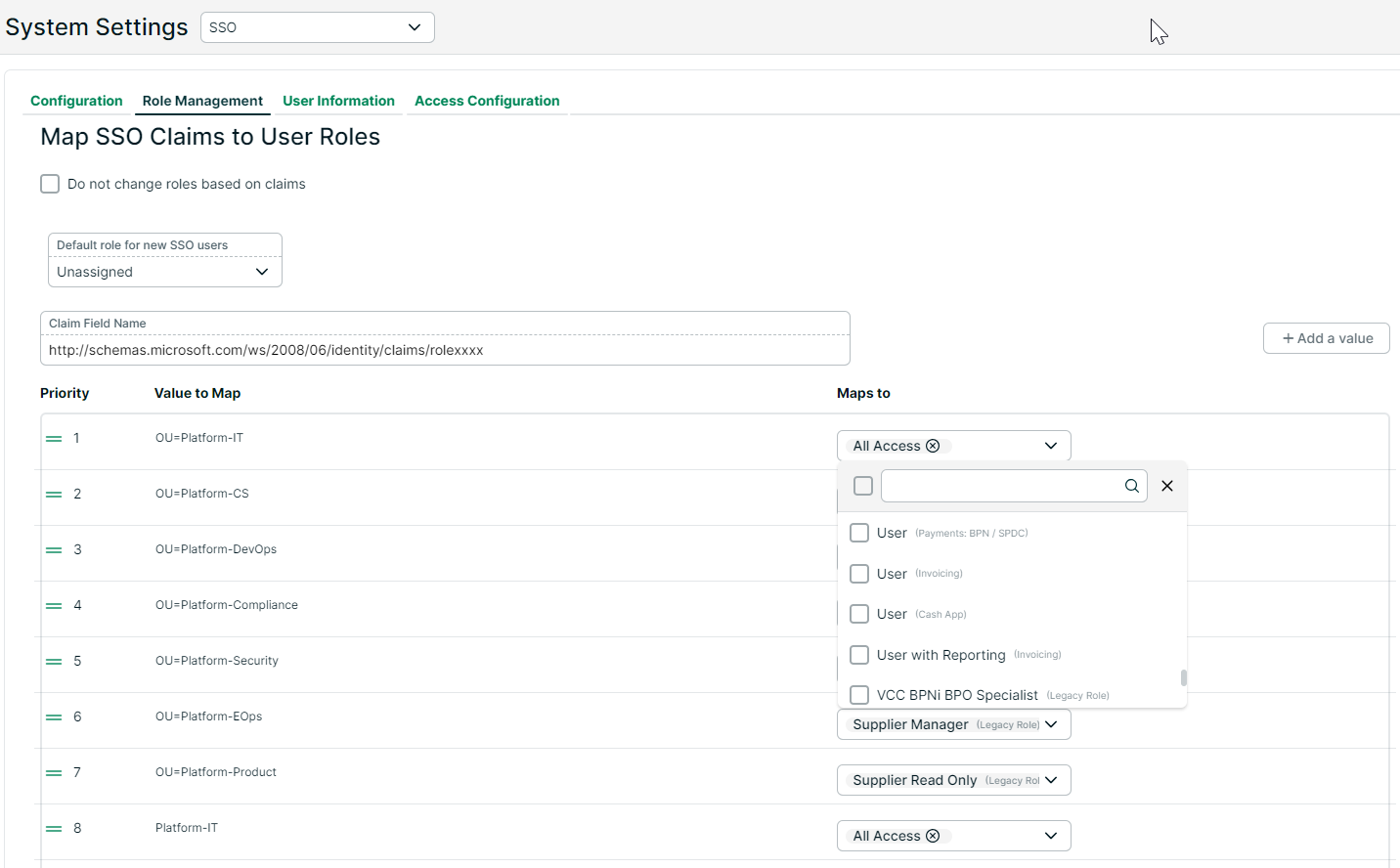
Support for selecting multiple roles for SSO configuration
Now SSO administrators can select more than one role to take advantage of multiple application roles instead of using custom roles. A multi-select Maps to drop down menu replaces the single drop down menu.
November 2023
New features
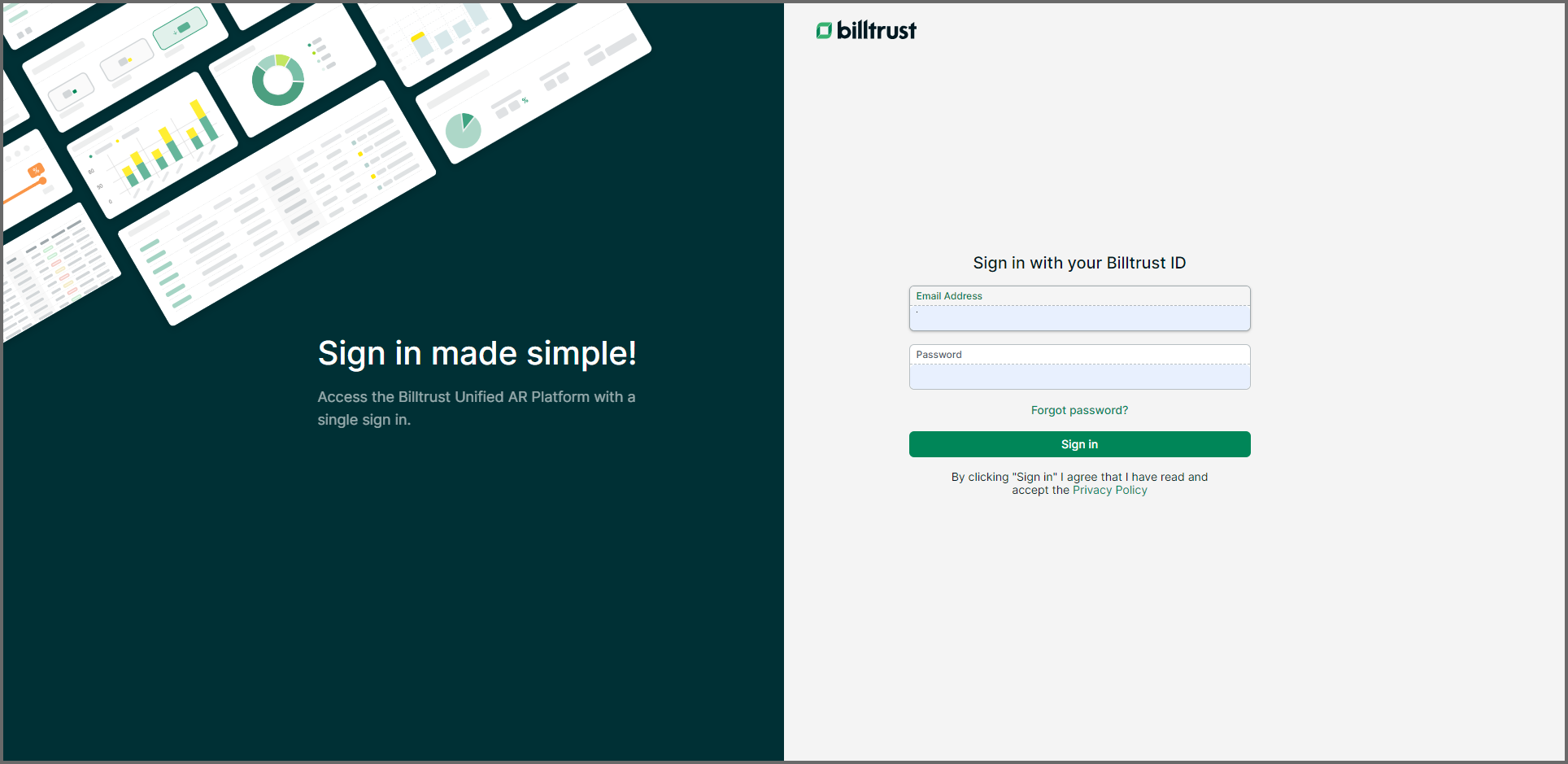
Sign in made simple!
Users can now access Billtrust's Unified AR Platform with a single sign in--including BPN and Client Connect users! Visit our updated sign in page to get started.
An easier way to access all your Billtrust products
A new, unified navigational header allows users to access all of our products in one space! This improved experience streamlines AR processes and lays a foundation for future enhancements.
Users will experience little impact to daily use, but now all of the products will be visible in the navigational header.
Related Training Resources
Revealing the unified Billtrust Platform >> Learn about the platform's new look and feel
Enhancements
Updates to security features
Implementation of additional password requirements and updates to our auto log out functionality to better align with industry standards and best practices.
July 2023
New features
Default roles are now available in the Billtrust workspace
Default roles are set with predefined capabilities and are maintained by Billtrust. Default roles make permissions and capabilities easier to assign and ensures users are always up-to-date with new enhancements and/or features.
Check out User Management with default roles >>
Additional updates supporting Default Roles:
- Users can now assign multiple roles, within and across, enabled applications
- Updated screens to allow admin users to manage application role settings
- Replaced role drop-down selection with new radio button options for All Access or Role Based. Selecting Role Based allows the admin to:
- Select multiple roles
- Select from default roles for all existing, new, or imported users
- Access new capabilities drawer with more descriptive definitions of roles
- Implemented Legacy Roles for roles assigned prior to this release without changing permissions
- Updated user screens to allow selection of Language and Time Zone